
By using this site, you agree to the Privacy Policy and Terms of Use.
Accept
Happen Recently
  • Home
  • Business
  • Startup
  • MSME
  • India
    • Politics
    • Sports
    • Entertainment
    • History
  • International
  • Stories
  • Magazine
Reading: Your phone is listening to all your secret things with virtual ears, disable this setting immediately like this
Share
Aa
Aa
Happen Recently
  • Business
  • MSME
  • Startup
  • India
  • International
  • Magazine
  • Home
  • Business
  • Startup
  • MSME
  • India
    • Politics
    • Sports
    • Entertainment
    • History
  • International
  • Stories
  • Magazine
Business

Your phone is listening to all your secret things with virtual ears, disable this setting immediately like this

Team Happen Recently
Last updated: 2023/09/18 at 4:33 PM
Team Happen Recently
Share
3 Min Read
SHARE

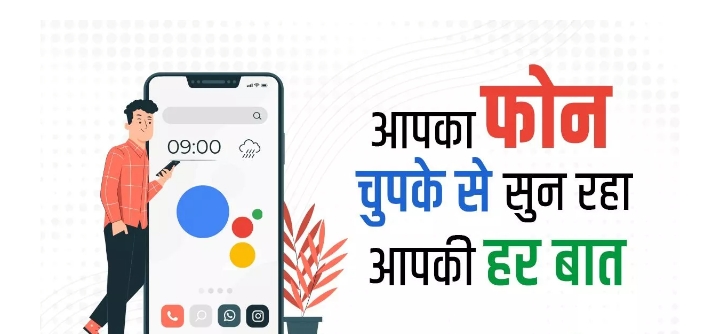
 Google Assistant Did you know that almost all voice-activated technology uses the phone’s microphone.  In order for the phone to work immediately as soon as you say it, it is important that your phone keeps its virtual ear active.  That is, giving Hey Google command in Android phone means that your phone is ready to listen to everything you say.

If we say that no one but your own phone is listening to everything you say, then you too will be stunned for a moment.  Yes, your Android phone can listen to everything you say.  Actually, here we are talking about giving the Hey Google command on an Android phone.

 It’s like the phone is listening to everything you say.

 Did you know that almost all voice-activated technology uses the phone’s microphone?  For the phone to work immediately as soon as you say it, it is important that your phone keeps its virtual ear active.

This clearly means that your Android phone can listen to you all the time.  If you also use Google Assistant, then the phone is listening to everything you say.

 To prevent the Android phone from listening to your conversations, there is also a facility to disable a special Google Assistant service.  You can check your Google Assistant commands from My Google Activity.

To disable Google Assistant service, first of all you have to open the Settings menu and go to Google.

 Now scroll down and click on Settings for Google apps.

 Now you have to tap on Search, Assistant & Voice.

 Here you have to tap on Google Assistant.

 Now the toggle on Hey Google will have to be turned off.

 Along with this, you can also go to the option of Remove Voice Match.

If the Hey Google toggle was still on in your phone, then the phone was listening to you.  In such a situation, by disabling this setting, the microphone of the phone cannot be used.

For more information visit at the https://happenrecently.com/zepto/?amp=1

You Might Also Like

Why Are Indian Stock Markets Closed Today, January 15? Explained

Nymph Herbal Product: A Trusted Name in Herbal and Ayurvedic Wellness Since 2003

One-Way Cab Travel Gains Popularity in Bihar as Nayak Baba Travels Expands Services

Maharashtra Startup Ecosystem Stands Tall Mumbai-Pune Funding Strong, No New Deals Today

Anuran Das & Rohan Naik: Building SalesClosers Into India’s Global Sales Talent Powerhouse With a ₹500 Crore Vision

TAGGED: Android Phone, happenrecenly, Phones

Sign Up For Daily Newsletter

Be keep up! Get the latest breaking news delivered straight to your inbox.
[mc4wp_form]
By signing up, you agree to our Terms of Use and acknowledge the data practices in our Privacy Policy. You may unsubscribe at any time.
Team Happen Recently September 18, 2023
Share this Article
Facebook Twitter Copy Link Print
Previous Article iPhone 13 vs iPhone 14: Which model is right to buy after iPhone 15 series
Next Article Kisan Credit Card holders will have to get loan more easily, Finance Minister will launch Kisan Loan Portal today
Leave a comment Leave a comment

Leave a Reply Cancel reply

You must be logged in to post a comment.

HR

Happen Recently, the leading PR and news platform, has been making waves in the media industry under the dynamic leadership of its CEO, Shubham Pancheshwar. 

COMPANY

  • CONTACT US
  • TERMS & CONDITIONS
  • PRIVACY POLICY
  • ABOUT US
  • DISCLAIMER

CATEGORIES

  • LEADERSHIP
  • STARTUP
  • INDUSTRY
  • PODCAST
  • MAGAZINE

LATEST MAGAZINE

Subscribe Now
Facebook Twitter Youtube Instagram Linkedin

© 2025 Happen Recently. All Rights Reserved.

Go to mobile version
adbanner
AdBlock Detected
Our site is an advertising supported site. Please whitelist to support our site.
Okay, I'll Whitelist
Welcome Back!

Sign in to your account

Lost your password?